 自绘工作站
自绘工作站绘画功能-解析图(describe)
如何进行解析图操作?
使用Midjourney的解析图功能(/describe指令)可以帮你解析图指定图片的Prompt。
上传图片后,可指定配置参数:
- 执行的机器人
- 选择任务的执行账号
- 选择任务的执行频道
- 选择任务的运行模式
比如:
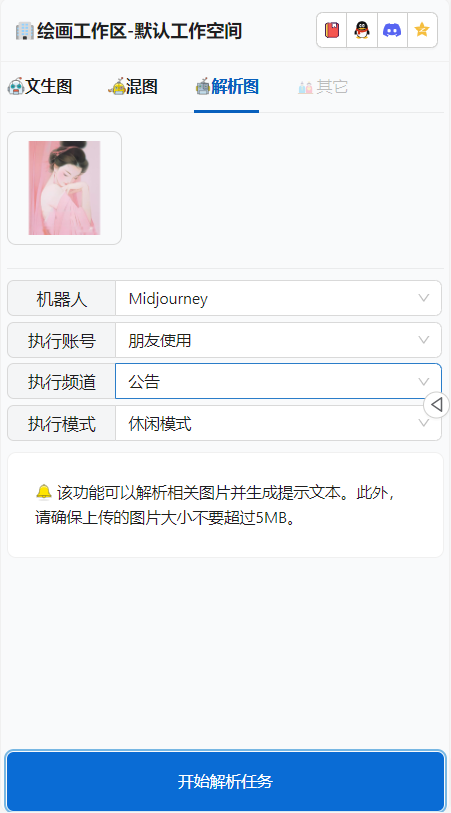
出结果后:
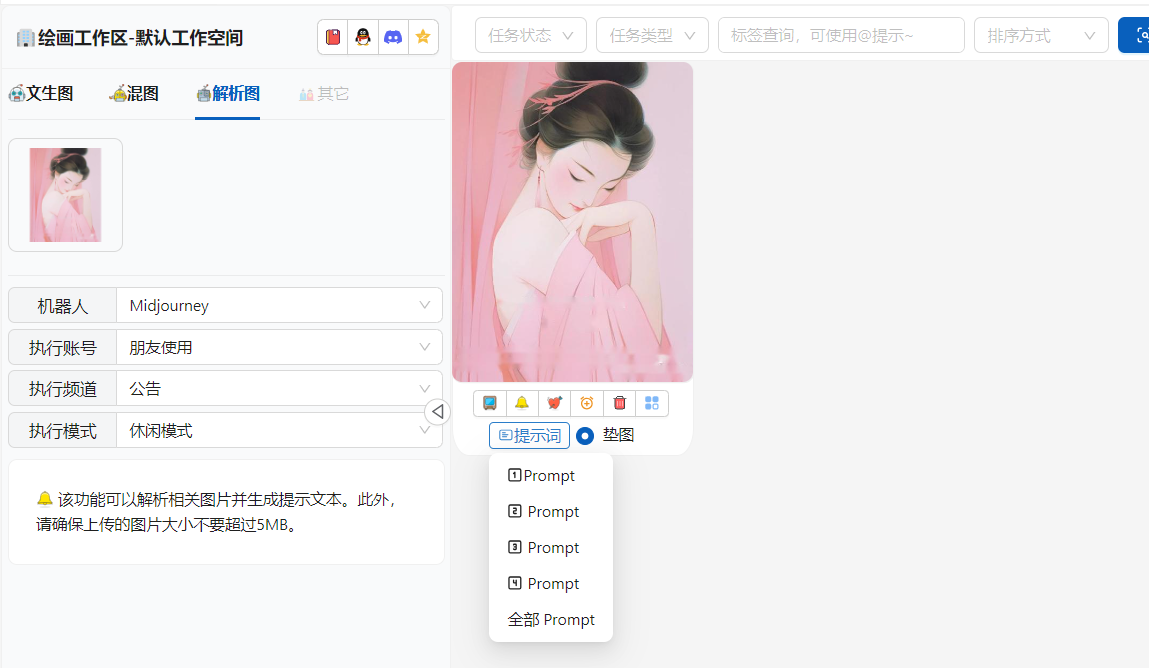
你可以选择任意的Prompt 进行二次创作。系统还提供了自动垫图按钮,可以配和一键二次生成。
Prompt 如下:
1️⃣ a painting of a pretty woman wearing a pink dress, in the style of chinese painting, romantic manga, slumped/draped, i can't believe how beautiful this is, light crimson, iconic, colorized --ar 28:37

2️⃣ paintings by a woman with long hair and pink, in the style of li shuxing, romantic illustration, softly luminous, francois schuiten, graceful, anime aesthetic, elegant outlines --ar 28:37

3️⃣ a chinese painting of a woman embracing with two hands, in the style of light pink and light magenta, beautiful women, charming anime characters, i can't believe how beautiful this is, mysterious elegance, colorful cartoon, close up --ar 28:37

4️⃣ a painting of a pink woman with brown hair and brown eyes, in the style of chinese painting, romantic atmosphere, clamp, trace monotone, lovely, light teal and light red, romantic use of light --ar 28:37
选用Prompt 1️⃣ + 自动垫图
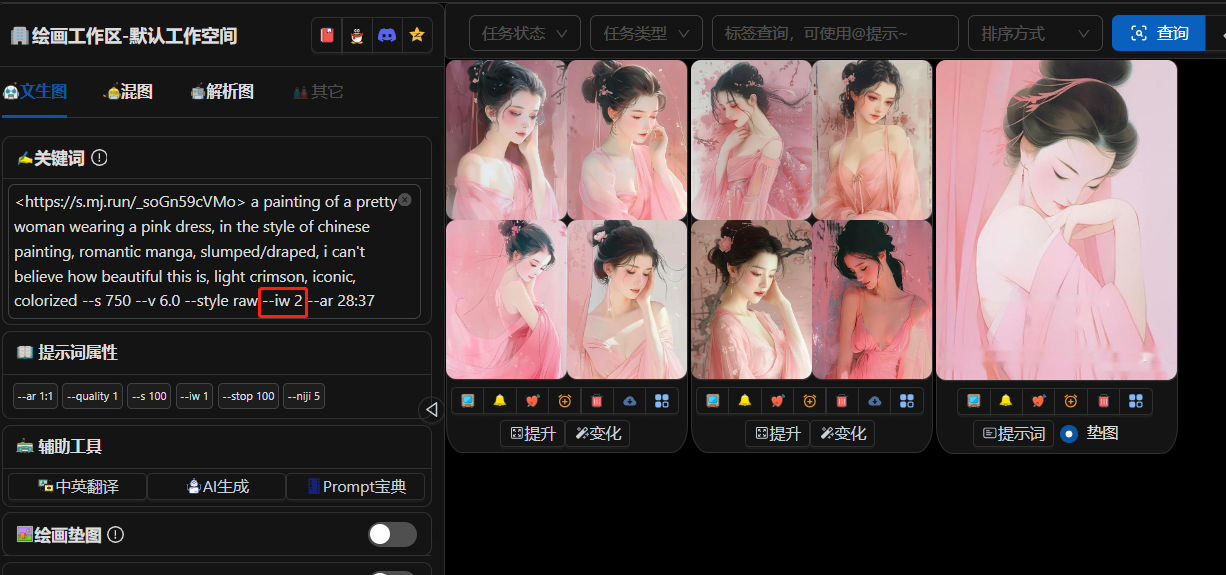
可以看出效果与原图还差些,改造使用 --iw 2 参数:
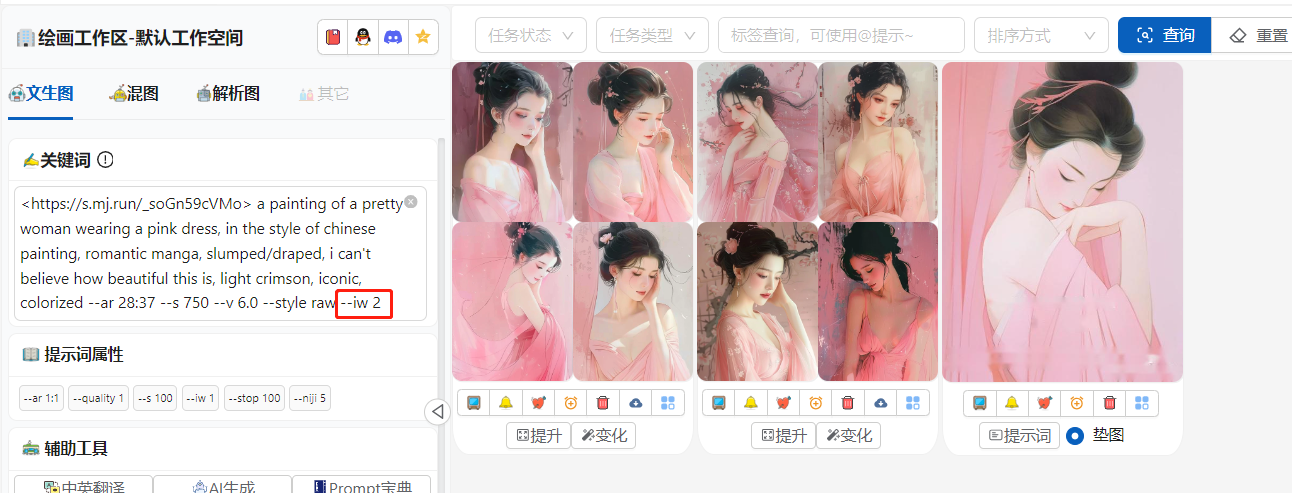
接着你还可以使用风格参考来继续扩展图片的相似度。