 自绘工作站
自绘工作站绘画功能-平移(Pan)
如何使用平移?
平移可以是图片在不改变原始内容的情况下对图片的上下左右方向进行元素添加或者内容扩展。
还是使用之前AI联想的Prompt任务。
描述词如下:
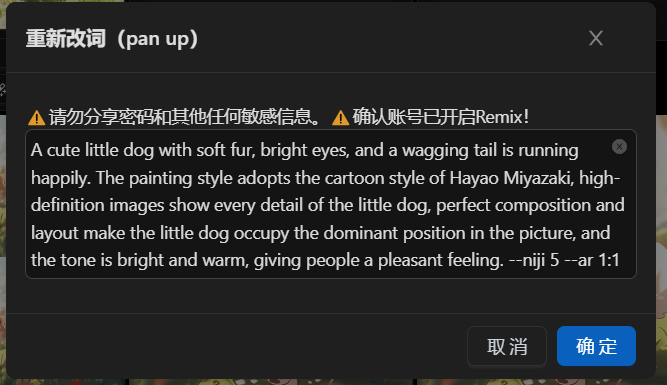
一只可爱的小狗,柔软的皮毛,明亮的眼睛,摆动的尾巴正在快乐地奔跑。画风采用宫崎骏的卡通风格,高清图像展现小狗的每一个细节,完美的构图和布局使小狗在画面中占据主导地位,色调明亮温暖,给人一种愉悦的感觉A cute little dog with soft fur, bright eyes, and a wagging tail is running happily. The painting style adopts the cartoon style of Hayao Miyazaki, high-definition images show every detail of the little dog, perfect composition and layout make the little dog occupy the dominant position in the picture, and the tone is bright and warm, giving people a pleasant feeling. --niji 5 --ar 1:1结果如下: 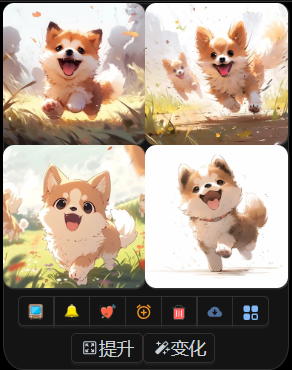
选用第三张图(执行 U3操作): 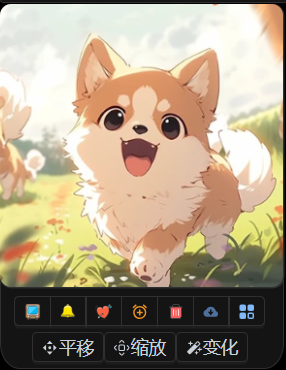
接着可以对U操作之后的图片进行平移,可以选择上下左右4个方向。
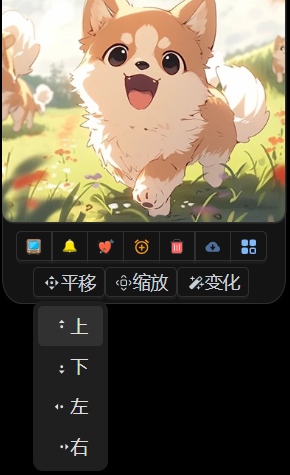
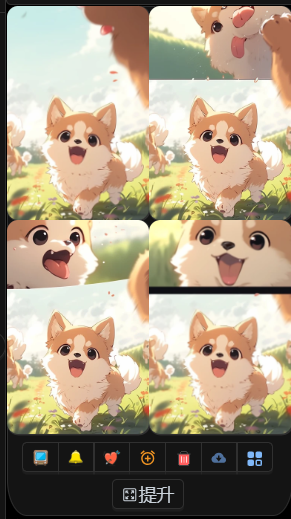
我们往上进行平移操作,remix 内容先默认了。
Prompt内容优化
上面的图片,由于Remix内容 还是一只狗的主体,所以平移部分又出现了一只狗。
修改下 remix内容:
blue sky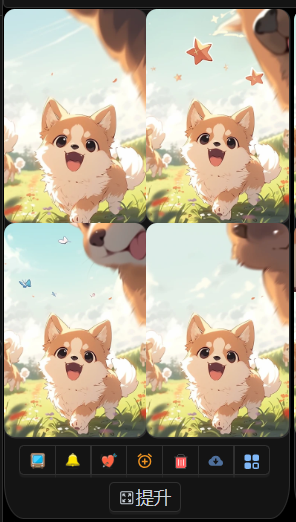
由于原图本身右边有内容,Midjourney在平移的时候会根据衔接内容进行整体补充,所以导致了又出现狗狗的一部分。 具体大家自己动手试验下。